Run tracking
Track the run. Then find out what it cost you.
TrakRun records the run the way any GPS run tracker does — route, distance, pace, heart rate, splits — and then does the part most of them skip: it reads that run against your recent training and your overnight recovery, and tells you what to do next.
What gets recorded
Press start on the iPhone or the Apple Watch and TrakRun takes its own GPS fix rather than borrowing one. What you get back afterwards is the full record of the run:
- Route on a map, with per-kilometre splits and the elevation you actually climbed.
- Distance, pace and duration, live while you run and broken down after.
- Heart rate from the wrist, or from a Bluetooth chest strap if you pair one — TrakRun reads the strap instead of the watch, and reconnects on its own if the signal drops mid-run.
- The session you set out to do — a target distance, duration or pace, or a structured interval session, tracked step by step rather than reconstructed afterwards.
While the run is happening
A run tracker you have to look at is a run tracker you trip over. The live run appears on the Lock Screen and in the Dynamic Island with your distance, time and progress towards the target, so checking costs a glance rather than an unlock.
And it talks, if you want it to. TrakRun speaks each split as you cross it — with a heads-up just before, so the cue lands on the mark rather than after it — and, when the run has a target pace, says speed up, slow down or on pace. Cues duck your music rather than stopping it, and one switch turns the lot off.
Phone, wrist, or neither
The watchOS app records the whole run itself rather than acting as a remote control for your phone: its own GPS, its own route, continuous heart rate, saved to Apple Health from the watch. The phone can stay at home and the run still lands on it afterwards.
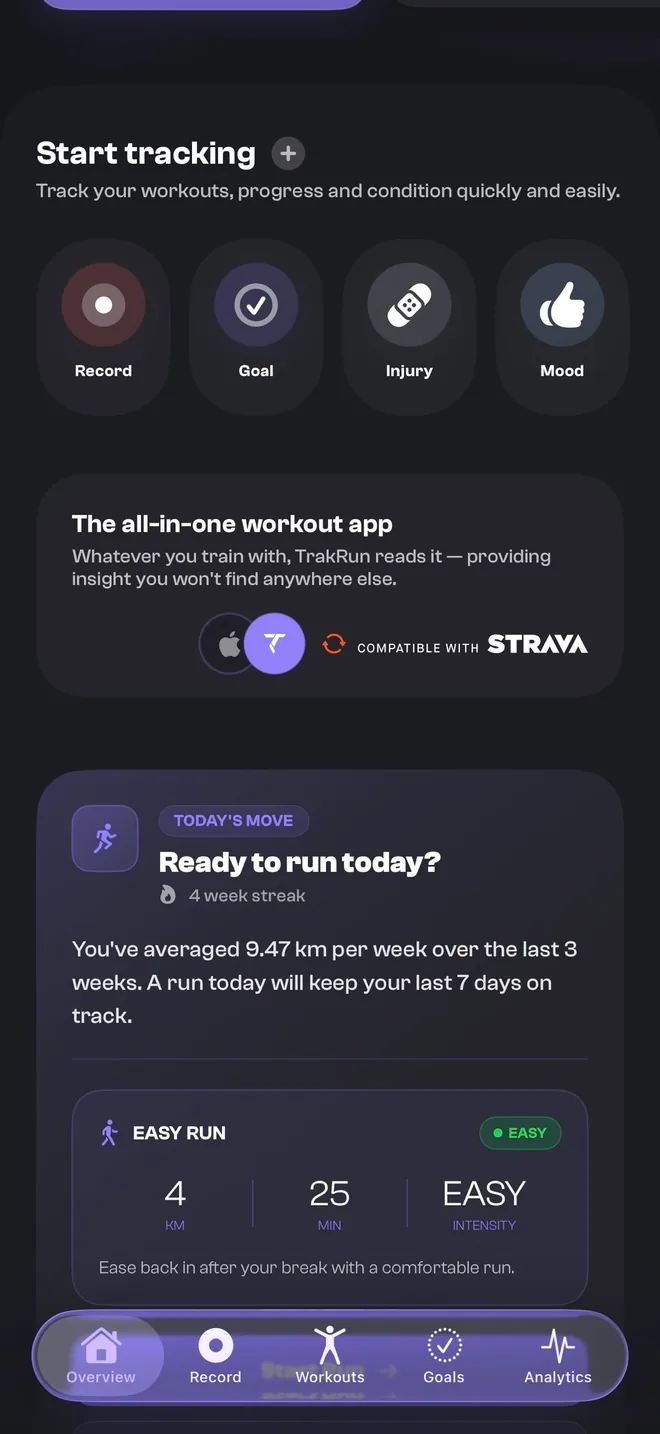
If you did not open TrakRun at all, it still counts. TrakRun reads Apple Health, so a run recorded in Strava, Runna, WHOOP or Apple’s own Workout app arrives with its source badge intact and feeds every number the app calculates. There is no penalty for using something else on the day, which is the opposite of how most tracking apps would like you to behave.
Where a tracker usually stops
Almost every running app can tell you that you ran 8 km at 5:12. The harder question is whether that was a good idea, and the honest answer needs more than the run itself: what you did the previous nine days, how you slept, whether your heart rate variability is where it normally sits, and whether you logged a niggle last Tuesday.
That is the part TrakRun adds. Each run feeds a training load picture — acute against chronic, how fast your volume is ramping, whether your hard days have anything easy between them — and each morning you get a readiness score built from your own baseline rather than a population average, with every factor that moved it itemised.
Which is why the app will sometimes tell you to stop. When your load is climbing faster than you are recovering, or you have logged an injury, it says so and gives you the reason. Recovery overrides a streak — there is no counter here that punishes you for taking the day.
What it does not do
There is no leaderboard and no comparison against other runners. Every insight, record and achievement is measured against your own history, because a stranger’s 5K time is not information about your training. There are no adverts, and your data is never sold, shared with data brokers or used for advertising.
Common questions
- Is it TrakRun or track run?
- TrakRun — one word, no c. It is said the way you would say “track run”, which is where the name comes from: the app tracks your runs. If you have been searching for track run, trak run or run trak, this is it.
- Is TrakRun a free run tracker?
- Yes. Recording runs is free forever, with no cap on how many and no advert anywhere in the app — GPS route, distance, pace, heart rate, per-kilometre splits, full history, spoken split cues, interval sessions, your daily readiness score and pace zones are all in the free tier. TrakRun Pro is the deeper analysis built on top: coaching, run analysis and training load.
- Can I track a run without an Apple Watch?
- Yes. Your iPhone takes its own GPS fix and records distance, pace, route and elevation on its own, and the app is fully usable with the phone alone. An Apple Watch adds wrist recording and continuous heart rate, which is what the overnight recovery signals are built from.
- Does TrakRun track indoor and treadmill runs?
- Yes, as their own mode rather than an outdoor run with a broken GPS trace. Location tracking is skipped, distance comes from motion, and the run is not given a map and an elevation profile it never had.
- Will it track runs I recorded in another app?
- Yes. TrakRun reads Apple Health, so any run written there lands in TrakRun with its original source badge — Strava, Runna, WHOOP, Apple's own Workout app — and counts towards your load and records like a run you recorded in TrakRun itself. Duplicates are merged.