Support
Frequently asked questions
Need help with something? Here are the questions runners ask us most.
General questions
Everything you need to know about the app and how it works. Can't find an answer? Email our team.
Not yet — TrakRun is coming soon to the App Store, so there's nothing to install today. When it goes live it'll be free to start, and this page will link straight to it.
TrakRun — one word, capital T and capital R, no c in the first half. It is said the way you would say “track run”, which is where the name comes from: the app tracks your runs. Searches for track run, trak run and run trak all mean this app.
Every run, and the state you are in around it. On the run: GPS route, distance, pace, duration, elevation, heart rate, weather and per-kilometre splits, live from the iPhone or the Apple Watch — and walks, rides and swims too. Around it: sleep, resting heart rate and heart rate variability from Apple Health, plus a quick morning check-in and the mood and injuries you log yourself. The first set is what you did; the second is what it cost you, and TrakRun exists to read them together.
TrakRun runs on iPhone (iOS 18.4 or later) with a companion Apple Watch app. You can record a run from either device, and everything syncs together automatically.
No. Your iPhone tracks GPS, distance, pace and route on its own. An Apple Watch adds wrist-based recording and live heart rate, and syncs back to your phone when you finish.
Yes — that's the point of it. TrakRun reads Apple Health, so anything that writes there lands in TrakRun: Strava, Runna, WHOOP and the rest, alongside whatever you record in the app itself. Duplicates are merged, each workout keeps its original source badge, and every insight is calculated across the whole set — so it doesn't matter which app you started the run in.
Through Apple Health. If Strava is connected to Apple Health, the runs you record there flow into TrakRun automatically and keep their Strava badge, so they count towards your load, readiness and records like any other run. There's nothing to set up in TrakRun beyond granting Health access.
Yes, and you can build them yourself. Set a warm-up, a block of repeats — by distance or by time, with the recovery between them — and a cool-down, save it, and reuse it. TrakRun coaches you through it step by step on the iPhone or the Apple Watch, with a haptic and a spoken cue at every boundary, so you never have to look down mid-rep.
If you want it to. TrakRun speaks each split as you cross it, gives you a heads-up just before, and — when the run has a target pace — says speed up, slow down or on pace. Cues duck your music rather than stopping it, and one switch turns the lot off.
Yes. TrakRun connects to standard Bluetooth heart rate sensors, such as a Garmin HRM or Polar chest strap, and uses the strap's reading for the run instead of the wrist's. It reconnects on its own if the signal drops mid-session.
Yes — indoor runs are their own mode rather than an outdoor run with a broken GPS trace. Location tracking is skipped, distance comes from motion, and the run isn't given a map and an elevation profile it never had.
Yes. A live run appears on the Lock Screen and in the Dynamic Island with your distance, time and progress towards the target, so you can check without unlocking the phone or opening the app.
Yes. If you sleep with an Apple Watch or another tracker that writes to Apple Health, TrakRun gives every night a score for duration, stages and how much of your time in bed you actually slept, against your own normal rather than a fixed target. With Pro, it goes further and shows what your sleep does to your running — pace, effort and how long you last — once it has enough comparable runs to say so honestly.
Yes. TrakRun records runs, walks, rides and swims, indoors or out, from the iPhone or the Apple Watch, and they all sit on the same timeline. Running is where the depth is — pace zones, personal-best podiums and run analysis are built for runs.
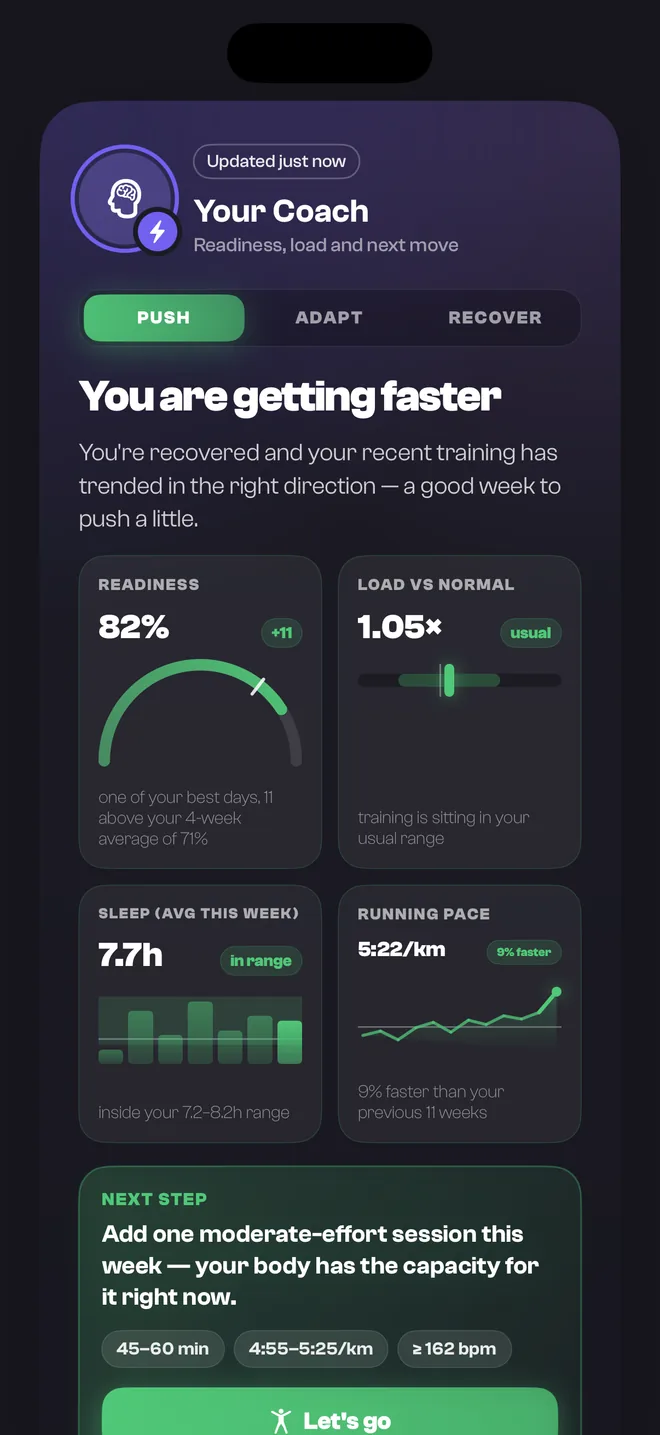
A single daily number estimating how much your body has got today, built from your overnight recovery signals, your recent training and how you've said you feel. TrakRun scores it against your own baseline rather than a population average, and itemises every factor that moved it, so you can see what you're being asked to act on rather than just the verdict.
ACWR is the acute:chronic workload ratio — recent training divided by what you've been doing over a longer window. Above 1 means this week is heavier than your normal. TrakRun tracks it as part of training-load analysis, alongside how fast your volume is ramping and whether your hard days have anything easy between them, because the ratio on its own misses both.
With your permission TrakRun reads your workouts, heart rate and related metrics from Apple Health. That data is then synced to TrakRun's own servers over an encrypted connection, because the recovery scores, run analysis and trends are calculated there and follow you across your iPhone and Apple Watch. Your data is private to your account — never public, never sold, never used for advertising, and never shared with data brokers. You can ask us to delete your account and everything attached to it at any time.
Recording runs, route maps, splits, history, interval sessions, spoken cues, your daily readiness score, the nightly sleep score, pace zones, mood and injury logging, and up to two goals are free forever. TrakRun Pro adds Your Coach, Run Analysis, Training Health and training-load analysis, sleep and performance insights, period comparisons and unlimited goals.
Because recovery is where fitness actually sticks. When your load is climbing faster than you're recovering — or you've logged an injury — TrakRun will suggest an easy day or rest, with one line explaining why. Recovery always overrides a streak.
Never. The only benchmark is your own history. Every insight and achievement is measured against your past self, not a leaderboard.
Yes. TrakRun Pro is a standard App Store subscription — manage or cancel it anytime from your Apple account settings. Your free features keep working.
Get in touch
Still stuck? Talk to a person.
Support is answered by the people who build TrakRun. Email is the quickest way to reach us.
App support
Questions about the app, syncing with Apple Health, or something that looks wrong. Tell us your iPhone model and iOS version, and add a screenshot if you can.
support@trakrun.comPrivacy and your data
Requests to access, export or delete your data, and anything about how your health data is handled.
privacy@trakrun.com