Couch to 5K
Couch to 5K on your Apple Watch, without watching the clock.
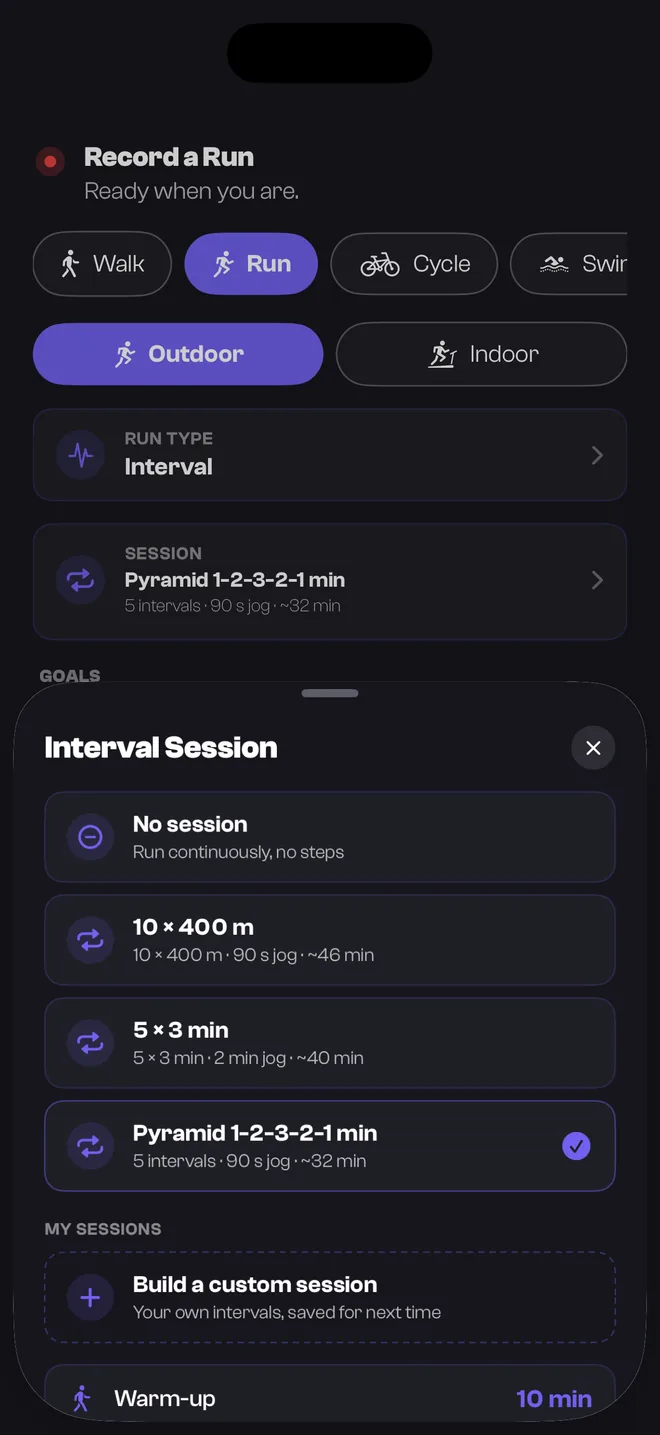
Couch to 5K asks you to alternate running and walking by the clock, which is exactly the job a watch should do for you. Build each session once, and your Apple Watch buzzes at each boundary, so you can spend the run looking at the road instead of the time.
Why a watch suits Couch to 5K
The first weeks of Couch to 5K aren’t about pace or distance. They are about alternating short spells of jogging with walking, timed to the second. Doing that by watching a clock is a distraction from the one thing you are trying to learn, which is running easily.
A watch that tells you when to switch takes the clock out of it. You feel the buzz, hear the cue, and change gear.
Build the session once
The NHS’s Couch to 5K starts, in week one, with a brisk five-minute walk and then alternates 60 seconds of jogging with 90 seconds of walking, for about 20 minutes. Plans differ slightly, so follow the one you have chosen.
In TrakRun that is a custom session, set the way you would say it out loud:
- A warm-up for the opening walk.
- A block of repeats by time — the jogs — with the recovery between them set explicitly.
- A cool-down, so the session is the whole outing.
TrakRun times the recovery and cues the end of it. How you cover it, at a walk in this case, is up to you. Pace coaching only applies when a run has a target pace, so leave it unset for these runs.
Save it and it is there for the next run. When the plan moves on a week, you change the numbers rather than starting again. There is more on how sessions work on the interval running app page.
Running it from your wrist
Start the session on the Apple Watch app and leave the phone at home. The watch shows the step you are in and what is left of it, and buzzes and speaks at every boundary. Spoken cues duck your music rather than stopping it.
It records the route, distance and heart rate as it goes, and the run lands on your iPhone afterwards, with splits, like any other.
What TrakRun is, and isn’t, doing here
TrakRun doesn’t ship a Couch to 5K plan, and Your Coach holds no plan of any kind. You bring the plan, and the app runs the sessions.
What it adds is a daily check on whether today suits the session you have planned. Beginners are hurt by doing too much, too soon, and the rest days between runs are where the fitness arrives. A readiness score built from your sleep and heart rate variability is a second opinion on whether to keep them.
Recording and sessions stay free, with no adverts. None of this replaces advice from a doctor if you are new to exercise or have a health condition.
Common questions
- Can I follow Couch to 5K on an Apple Watch?
- Yes. Couch to 5K is run and walk intervals against the clock, and TrakRun lets you build a timed session of that shape: a warm-up, a block of repeats by time with the recovery between them, and a cool-down. The watch buzzes and speaks at each boundary, so you never watch the time.
- Does TrakRun include a Couch to 5K plan?
- No. TrakRun holds no training plan. Follow a Couch to 5K plan from the NHS or anywhere else, and use TrakRun to time each run and to check whether today suits the session.
- Do I need my iPhone with me?
- No. Sessions are built into the watchOS app, so you can set one up on the wrist and run it with the phone at home. It syncs back to your iPhone when the two are next in range.
- Is it free?
- Building and running interval sessions, with the spoken cues, is in the free tier on both the iPhone and the Apple Watch. TrakRun Pro is the analysis built on top of your training, not the recording of it.
- Should I run every day to finish the programme faster?
- No. Couch to 5K is built around rest days between runs, because that is when your body adapts to the new load. Doing more than the plan asks is the usual way beginners get injured, so treat the rest days as part of the programme.